FinTrack AI — Digital Finance System for a Small Business
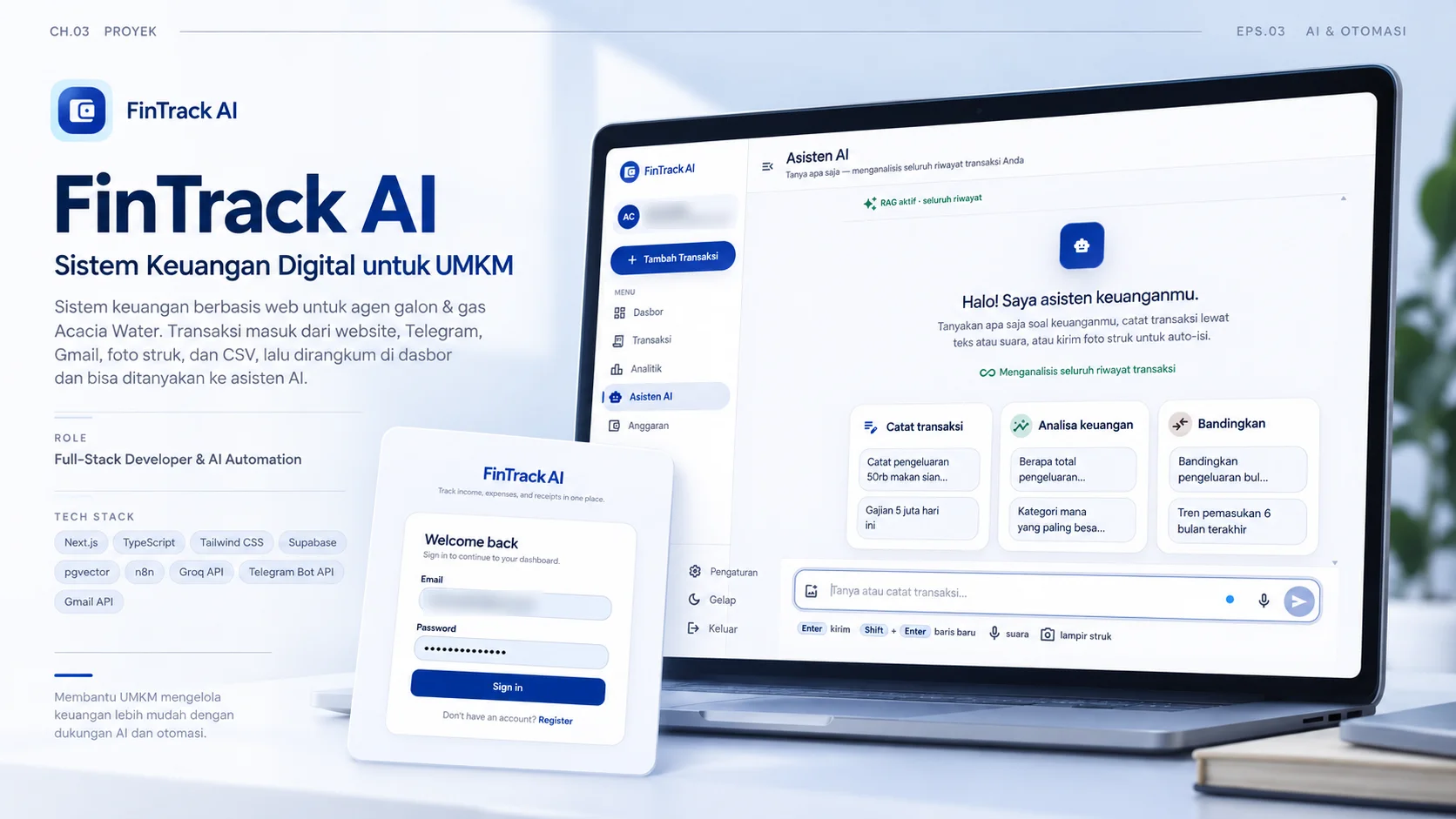
A web-based finance system for Acacia Water, a water-gallon and gas agent; bank and e-wallet transactions log themselves through Gmail, receipts just need a photo, and it all adds up on a dashboard you can question with an AI assistant.
- Role
- Full-Stack Developer & AI Automation
- Period
- 1–2 months
- Tools
-
- Next.js
- TypeScript
- Tailwind CSS
- Supabase
- pgvector
- n8n
- Groq API
- Telegram Bot API
- Gmail API
The challenge
Acacia Water is a small business selling water gallons and gas, with transactions every day, all of them recorded by hand. To keep track of income, expenses, and overall financial health, every transaction has to be recorded neatly, yet they come from all over: shopping receipts, transfer notifications from banks and e-wallets, and quick notes sent by chat. The business needed one place to hold it all.
My role
I built the system from start to finish: gathering requirements, designing the database and data flow, building the website with Next.js, TypeScript, and Supabase, creating three automation workflows in n8n, adding a RAG-based AI assistant, deploying to Vercel, and testing it all.
Process
The work took 1–2 months and followed the SDLC stages: planning, requirements analysis, design, implementation, testing, and evaluation. My main rule: every channel can have its own way in, but the data must end up in one database in the same format, so the dashboard and the AI assistant read from the same source.
Solution
- Most automatic of all, from bank & e-wallet straight to the dashboard: every income or expense notification email from a bank or e-wallet that lands in Gmail is read by an n8n workflow, turned into a transaction, and logged on the dashboard by itself. The owner doesn’t have to record anything.
- Five ways in: a form on the website (voice input works too), a Telegram bot, bank & e-wallet notification emails in Gmail, receipt photo uploads, and CSV import. Transactions can be exported as well.
- Log from anywhere with Telegram on your phone: no laptop or notebook needed; the bot understands text, photos, and voice. Text messages are read by an LLM, receipt photos by a vision LLM, and voice notes are transcribed first with Whisper. Every AI call has a fallback that kicks in automatically when the main call fails or hits a rate limit, and a Telegram account must be linked to a website account first.
- Three n8n workflows: Receipt OCR reads receipts uploaded on the website, Telegram Bot processes messages from Telegram, and Gmail Parser reads notification emails from banks and e-wallets.
- A RAG-based AI assistant: the full transaction history is indexed with pgvector embeddings, so questions like “how much did I spend this month?” or “which category is the biggest?” are answered from the user’s own data. The assistant can also log transactions straight from the conversation: by text, receipt photo, voice, or even a bank statement PDF or CSV file.
- Semantic search on the transactions page: the search box understands everyday queries like “pengeluaran > 100k” (expenses over 100k), no need to set filters one by one.
- Dashboard & analytics: net balance, this month’s income and expenses, saving rate, and an analytics page.
- Budgets & savings goals: monthly budgets per category to keep spending in check, and savings goals you can track right in the app.
- Data kept safe per account: Row Level Security is on for every table, so each account only ever sees its own data. The only path that bypasses it is the n8n webhook, which is guarded by a secret header.
- Pleasant to use: a bilingual interface (Indonesian/English) with light and dark themes.
Results
Before and after FinTrack AI:
| Task | Before (manual) | After (FinTrack AI) |
|---|---|---|
| Bank & e-wallet transactions | Copied by hand from each notification | Logged by themselves from the notification email: 0 manual input |
| Purchases with a receipt | Writing the date, amount, merchant, and category one by one | Send 1 receipt photo, message, or voice note; 5 fields fill in automatically |
| Where you can log | Only when the notes are at hand | Anywhere, via Telegram on your phone |
| Transaction sources | Scattered across receipts, emails, and chats | 5 channels flowing into 1 database |
| Categories | Picked by hand | Assigned by AI |
| Monthly recap | Calculated by hand | Balance, income, expenses, and saving rate calculated on the dashboard |
| Finding information | Digging through old notes | Asking the AI assistant, or typing “pengeluaran > 100k” into the search box |
- Passed black-box testing on the website features, transaction channel integrations, the RAG chatbot, and a range of browsers and devices: everything worked as required.
- Acacia Water’s bookkeeping and financial monitoring now live in one central system, more practical and better structured.
Lessons
Building many ways in taught me the value of one shared data format: once text, photos, voice, and email all become the same kind of transaction, the dashboard and the AI assistant only need to read one source. I also learned that AI services can’t be assumed to always be available, so every call needs a fallback and a clear failure message for the user. Finally, an AI assistant feels far more useful when its answers are grounded in the user’s own data through RAG, not just general knowledge.
Documentation
-
The AI assistant answers from the full transaction history (email blurred). -
The monthly cash-flow dashboard (email and amounts blurred). -
Send a receipt photo to the Telegram bot and the transaction is saved, category included.